Mesh systems use coordinated access points to extend one network. Node placement and backhaul quality matter more than simply adding units.
Set Up the Main Node
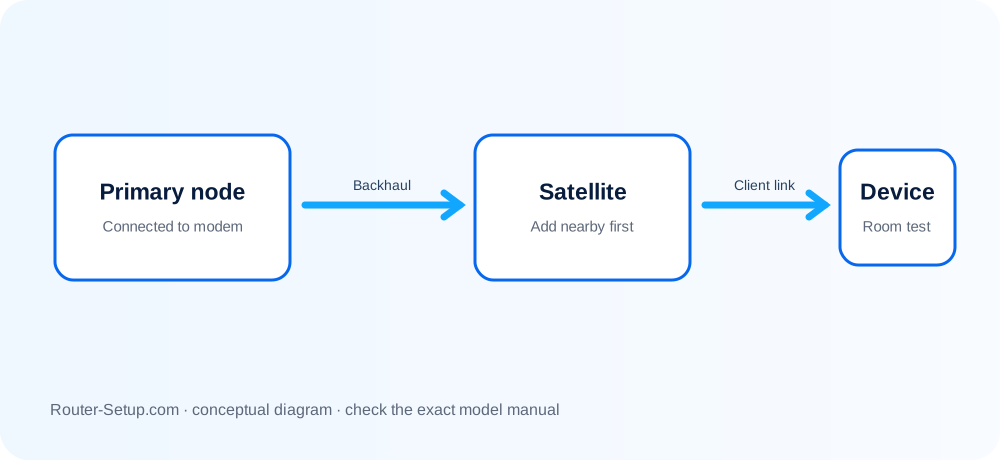
Connect the primary node to the modem or gateway and complete its initial update before adding satellites.
Place Additional Nodes
Position nodes between the main unit and weak area where they still receive a strong upstream signal.
Prefer Wired Backhaul When Practical
Ethernet backhaul preserves wireless capacity and improves consistency.
Avoid Too Many Nodes
Excessive overlap can increase interference and make roaming less predictable.
Test Movement and Capacity
Walk through the property, test calls and streaming, and check whether clients switch nodes effectively.
Commission the main node, satellites and backhaul
Mesh installation has two separate jobs: commission the primary router first, then establish reliable backhaul for each satellite. Do not troubleshoot roaming until both layers are proven.
Choose the primary/router node and connect only that node to the modem or ONT
Choose the primary/router node and connect only that node to the modem or ONT. Do not cable every satellite to the modem.
Restart the modem/ONT, wait until online, then power the primary mesh node
Restart the modem/ONT, wait until online, then power the primary mesh node.
Install the official app, sign in or create the required vendor account and allow local-network/Bluetooth permissions during onboarding
Install the official app, sign in or create the required vendor account and allow local-network/Bluetooth permissions during onboarding.
Scan the QR code or select the exact model
Scan the QR code or select the exact model. Create the administrator and Wi-Fi credentials requested by the app.
Complete the primary node setup and confirm Internet access before adding any satellite
Complete the primary node setup and confirm Internet access before adding any satellite.
Add satellites one at a time in the same room or within the manufacturer’s recommended setup distance
Add satellites one at a time in the same room or within the manufacturer’s recommended setup distance. Wait for a successful link indication.
Name each satellite by its intended room, then move it roughly halfway between the primary node and the weak-coverage area
Name each satellite by its intended room, then move it roughly halfway between the primary node and the weak-coverage area.
Check backhaul quality in the app
Check backhaul quality in the app. Move a weak node closer; do not place it where the client signal is already unusable.
For Ethernet backhaul, complete normal onboarding first unless the manual says otherwise, then cable nodes without creating switch loops
For Ethernet backhaul, complete normal onboarding first unless the manual says otherwise, then cable nodes without creating switch loops.
Walk-test coverage, roaming, video calls and wired ports
Walk-test coverage, roaming, video calls and wired ports. Record which node each test device uses.
Confirm the result
- The primary node has Internet with every satellite powered off.
- Every satellite reports a healthy wired or wireless backhaul.
- A continuous call survives movement between at least two coverage areas.
Mesh placement, roaming and Ethernet-backhaul questions
Can mesh work with an ISP router?
Yes, but bridge or access-point mode may be needed to avoid double NAT.
Do all nodes need Ethernet?
No. Most support wireless backhaul, though wired backhaul can perform better.
Will devices change nodes automatically?
The client ultimately decides when to roam, with assistance from mesh features.
Why does adding more nodes sometimes make Wi-Fi worse?
Excessively close nodes can increase interference and roaming ambiguity. Add nodes only where measurements show a coverage or capacity need.
Tune the completed mesh
Browse setup, troubleshooting, security and buying guides for every major router type.
Browse all guides