The router login page is a private control panel available only from your local network. It lets you change Wi-Fi, security, DNS, parental-control and firmware settings.
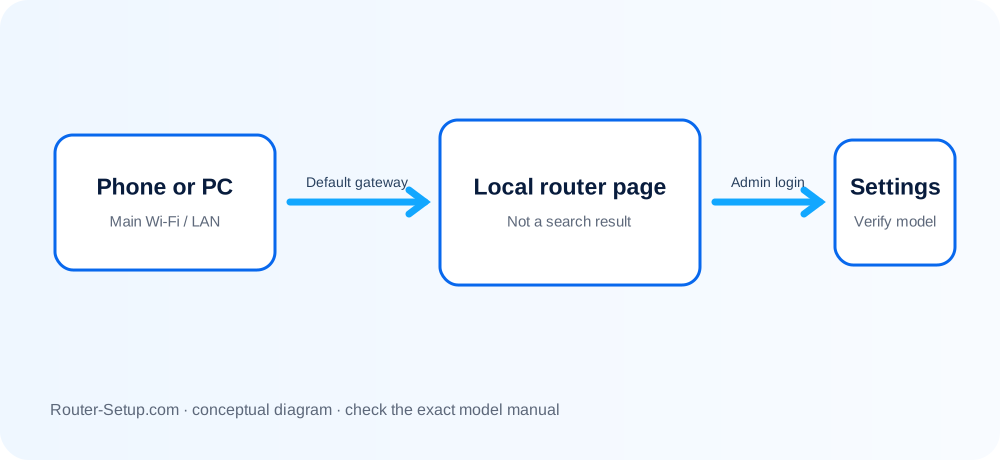
Find the Router Address
Common local addresses include 192.168.1.1 and 192.168.0.1, but the correct gateway can be found in your device network details.
Connect Locally
Join the router Wi-Fi or connect by Ethernet. Mobile data, VPNs and privacy relays can prevent a local admin page from loading.
Enter Admin Credentials
The administrator login is different from the Wi-Fi password. Check the device label or setup record and change default credentials after signing in.
If the Page Does Not Open
Verify the gateway address, type it in the address bar rather than a search box, disable VPN temporarily and try another browser.
Protect Administrator Access
Use a unique password, turn off remote administration unless required and keep router firmware current.
Reach the local administration page safely
Router login is a local-network task. The checks below prove that the device is on the correct LAN, find the live gateway and distinguish the router password from Wi-Fi or cloud credentials.
Connect directly to the router’s main Wi-Fi or a LAN port
Connect directly to the router’s main Wi-Fi or a LAN port. Guest Wi-Fi often blocks the administration interface.
Turn off mobile data, VPN, proxy and private DNS temporarily so the request stays on the local network
Turn off mobile data, VPN, proxy and private DNS temporarily so the request stays on the local network.
Open the network details on the connected device and note the Router or Default Gateway address
Open the network details on the connected device and note the Router or Default Gateway address. This is more reliable than guessing 192.168.0.1 or 192.168.1.1.
Type the gateway into the browser address bar
Type the gateway into the browser address bar. Include http:// if the browser keeps searching instead of opening the local address.
Confirm the page branding and certificate address before entering credentials
Confirm the page branding and certificate address before entering credentials. Never enter router credentials into a search result or unrelated public page.
Use the local administrator credential created during setup
Use the local administrator credential created during setup. The Wi-Fi password and vendor cloud account are normally separate.
If the page does not load, test Ethernet, another browser and another device
If the page does not load, test Ethernet, another browser and another device. Disconnect every other network connection.
If the password is rejected, use the manufacturer’s supported recovery feature
If the password is rejected, use the manufacturer’s supported recovery feature. Reset only after recording ISP and custom settings.
Confirm the result
- The browser opens the router interface from its current gateway address.
- The signed-in page shows the expected model or manufacturer.
- VPN, mobile data and temporary diagnostic changes have been restored safely.
Router access problems people commonly encounter
Is routerlogin.net universal?
No. Branded hostnames work only with supported devices; the default gateway address is more universal.
Why does the browser show a privacy warning?
Some local router pages use a self-signed certificate. Confirm you are connected locally and using the correct address.
Will resetting recover the login?
A factory reset normally restores default credentials but erases every custom setting.
Why does the address open my modem instead?
Your client is using the ISP gateway as its default route. Connect directly to the intended router and check whether it is operating as an access point.
Protect the router after signing in
Browse setup, troubleshooting, security and buying guides for every major router type.
Browse all guides