Router parental controls can group devices, schedule access and filter some categories, but they should complement device-level safety tools and conversation.
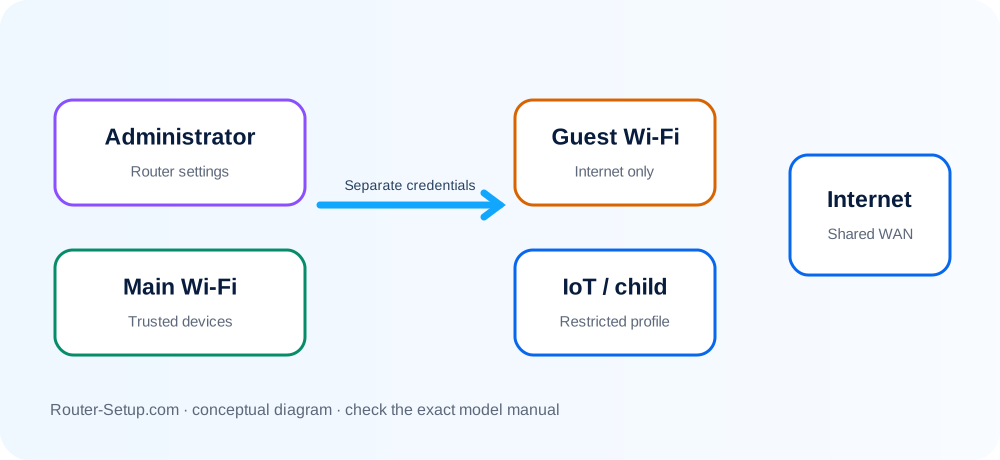
Create Accurate Profiles
Assign each child’s devices to the correct profile and rename unknown devices before applying rules.
Set Predictable Schedules
Use clear bedtime and study schedules rather than unpredictable manual blocking.
Apply Age-Appropriate Filtering
Category filters can make mistakes and encrypted apps may bypass domain-level controls.
Protect the Admin Account
Use a unique administrator password and do not share it with restricted users.
Review, Do Not Assume
Check that rules apply to new devices and remember that mobile data is outside the home router.
Build profiles, assign devices and verify every restriction
Parental controls work by correctly identifying devices and profiles. Build the device map first, then test schedules and filters from a child profile instead of assuming a saved rule is enforced.
List the child devices and identify each by device name and MAC address; remember that private/randomised MAC can create duplicate entries
List the child devices and identify each by device name and MAC address; remember that private/randomised MAC can create duplicate entries.
Create a separate profile for each child rather than one household-wide rule
Create a separate profile for each child rather than one household-wide rule.
Assign every relevant phone, tablet, console, television and computer to the correct profile
Assign every relevant phone, tablet, console, television and computer to the correct profile.
Set bedtime and school-hour pauses first
Set bedtime and school-hour pauses first. Test the schedule with the correct router time zone.
Add age-appropriate category filtering, then allow or block individual domains only when category rules are too broad
Add age-appropriate category filtering, then allow or block individual domains only when category rules are too broad.
Enable SafeSearch or restricted modes only if the router supports them; verify each search/video service independently
Enable SafeSearch or restricted modes only if the router supports them; verify each search/video service independently.
Pause one profile and confirm only its assigned devices lose Internet while local emergency/communication needs remain considered
Pause one profile and confirm only its assigned devices lose Internet while local emergency/communication needs remain considered.
Protect the router administrator account and prevent the app from being installed under an unrestricted parent account on child devices
Protect the router administrator account and prevent the app from being installed under an unrestricted parent account on child devices.
Review bypass routes such as mobile data, VPNs, randomised MAC addresses and alternate DNS
Review bypass routes such as mobile data, VPNs, randomised MAC addresses and alternate DNS. Use device-level controls alongside router controls.
Revisit the rules with the child and review reports periodically rather than relying on silent permanent blocking
Revisit the rules with the child and review reports periodically rather than relying on silent permanent blocking.
Confirm the result
- Every child device is assigned once, including randomised-MAC entries.
- Bedtime is tested using the router’s correct clock and time zone.
- A parent device remains unaffected when a child profile is paused.
Schedules, bypasses and family-profile questions
Can parental controls see messages?
Ordinary router controls do not decrypt private message content.
Can a VPN bypass filters?
Often yes, unless VPN traffic is blocked or controls also run on the device.
Why is an allowed site blocked?
Automated categories can misclassify domains; use an exception list where available.
Why does a child appear twice in the router app?
Private or randomised MAC addressing can create another device identity. Identify both entries or manage the setting consistently on that device.
Maintain controls that match the household
Browse setup, troubleshooting, security and buying guides for every major router type.
Browse all guides