Port forwarding directs selected incoming traffic to one device. Open only the required port and understand the security impact.
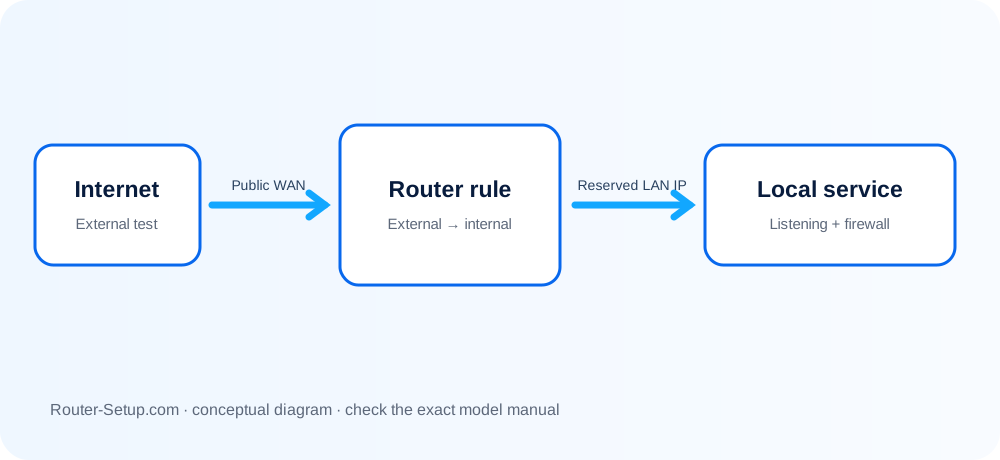
Confirm the Requirement
Prefer automatic connection methods or a VPN when supported. Some services do not need inbound forwarding.
Reserve the Device Address
Create a DHCP reservation so the destination device keeps the same local IP.
Create the Rule
Enter the external port, internal port, protocol and destination IP exactly as required by the application.
Test From Outside
A port cannot be tested reliably from inside every network. Use mobile data or a reputable external test while the service is running.
Reduce Exposure
Remove unused rules, patch the destination device and never expose router administration directly to the internet.
Publish one local service with the smallest safe rule
A forward cannot repair a service that is closed locally or hidden behind CGNAT. Prove the application on the LAN, reserve its address, then test the smallest possible external rule.
Give the target device a DHCP reservation so its LAN IP does not change
Give the target device a DHCP reservation so its LAN IP does not change.
Confirm the service is running and reachable from another device on the same LAN before exposing anything externally
Confirm the service is running and reachable from another device on the same LAN before exposing anything externally.
Identify the exact protocol and port: TCP, UDP or both; use the smallest required range
Identify the exact protocol and port: TCP, UDP or both; use the smallest required range.
Sign in to the router and open Port Forwarding, Virtual Server, NAT or Advanced Routing
Sign in to the router and open Port Forwarding, Virtual Server, NAT or Advanced Routing.
Create a rule with a clear name, external port, internal port, protocol and reserved target IP
Create a rule with a clear name, external port, internal port, protocol and reserved target IP.
Apply the rule and verify it appears enabled
Apply the rule and verify it appears enabled. Avoid DMZ as a shortcut.
Check the router WAN address against a public IP service
Check the router WAN address against a public IP service. If it is private/CGNAT or differs from the upstream gateway, inbound forwarding may not reach this router.
Test from outside the home network using mobile data; a LAN test can fail because some routers do not support NAT loopback
Test from outside the home network using mobile data; a LAN test can fail because some routers do not support NAT loopback.
If closed, check the device firewall, upstream modem/router, ISP port restrictions and whether the application is listening
If closed, check the device firewall, upstream modem/router, ISP port restrictions and whether the application is listening.
Document and remove the rule when no longer required; keep the exposed service patched and strongly authenticated
Document and remove the rule when no longer required; keep the exposed service patched and strongly authenticated.
Confirm the result
- The target service answers from another LAN device.
- The target IP is reserved and the correct TCP/UDP rule is enabled.
- An external mobile-data test reaches the service—or CGNAT/upstream NAT is documented.
Ports, CGNAT and external-testing questions
Why is the port still closed?
The service may not be listening, a device firewall may block it, or the ISP may use carrier-grade NAT.
What is UPnP?
It allows applications to request temporary mappings automatically but reduces manual control.
Is port forwarding dangerous?
It increases exposure of the forwarded service, so use the minimum rule and maintain the device.
Why does an open-port website show closed while I test?
The application must be actively listening, its firewall must allow the port, and the test must reach the public WAN rather than a CGNAT or double-NAT address.
Expose only what the application requires
Browse setup, troubleshooting, security and buying guides for every major router type.
Browse all guides