Repeated disconnections are usually caused by unstable signal, radio interference, band steering, device software or router restarts.
Watch the Pattern
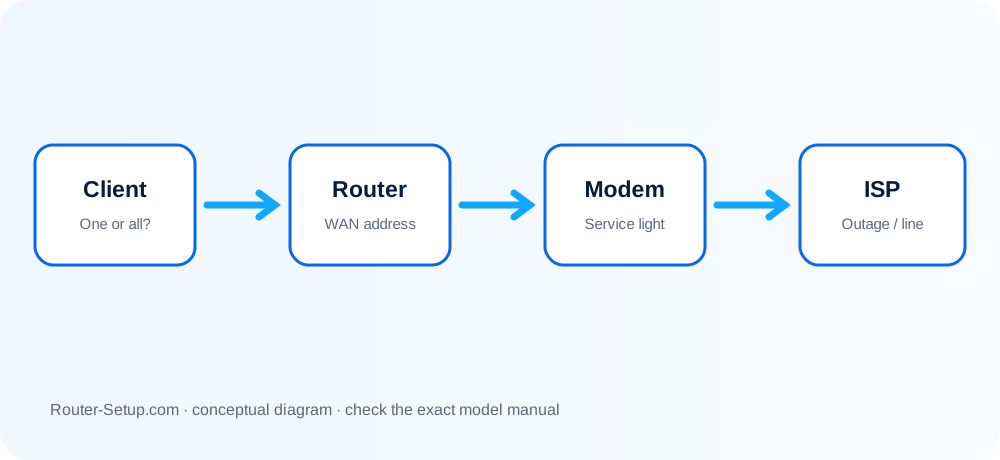
Note whether every device drops, whether the router lights change and whether the issue occurs in one room or at a particular time.
Check Signal and Interference
Move closer, test a different band and keep the router away from sources of radio or electrical interference.
Update Both Ends
Install router firmware and current Wi-Fi drivers or operating-system updates on the affected device.
Review Mesh and Roaming
Poor node placement or devices clinging to a distant access point can create brief drops.
Check DHCP and Power
Address conflicts, short DHCP leases, overheating or a failing power adapter can affect all devices.
Capture and isolate an intermittent wireless failure
Intermittent faults need evidence. Record whether the radio link disappears, Internet alone stops, or a mesh client changes nodes; each observation points to a different fix.
Determine the scope: one client, one band, one room or every device
Determine the scope: one client, one band, one room or every device. Record the time and whether the Wi-Fi icon disappears or only Internet stops.
Test a wired device during the failure
Test a wired device during the failure. If Ethernet also drops, investigate modem/WAN rather than radio settings.
Restart the affected client and router once, then check exact-model firmware and client Wi-Fi driver updates
Restart the affected client and router once, then check exact-model firmware and client Wi-Fi driver updates.
Separate 2
Separate 2.4 GHz and 5 GHz names temporarily to learn whether one band is unstable. Recombine them after diagnosis if band steering works correctly.
Move the router into the open and away from microwaves, cordless phones, thick masonry and large metal objects
Move the router into the open and away from microwaves, cordless phones, thick masonry and large metal objects.
Use a Wi-Fi analyser to check congestion
Use a Wi-Fi analyser to check congestion. On 2.4 GHz prefer non-overlapping channels 1, 6 or 11 and 20 MHz width in crowded areas.
Disable aggressive client power saving and forget/rejoin the network
Disable aggressive client power saving and forget/rejoin the network. Test without VPN, security filtering and randomised MAC only as a controlled diagnostic.
For mesh systems, inspect which node the client uses and the node’s backhaul quality
For mesh systems, inspect which node the client uses and the node’s backhaul quality. A strong client signal cannot compensate for weak backhaul.
Review logs for WAN renewals, reboots, DFS channel changes or authentication failures at the recorded time
Review logs for WAN renewals, reboots, DFS channel changes or authentication failures at the recorded time.
Change one setting at a time and run the same test for long enough to prove improvement
Change one setting at a time and run the same test for long enough to prove improvement.
Confirm the result
- A wired control test establishes whether the WAN also drops.
- The unstable band, room, client or mesh node has been identified.
- Only one change was made before a repeatable stability test.
Dropout patterns, channels and client-behaviour questions
Why does only one phone disconnect?
The cause is probably that device, its saved network profile or compatibility settings.
Can smart connect cause drops?
Band steering can expose compatibility problems on some clients; test separate band names.
How far apart should mesh nodes be?
They should overlap coverage while retaining a strong link, not sit inside the original dead zone.
Why does the problem happen at the same time each day?
Scheduled backups, interference, parental rules, lease renewal or DFS events may be involved. Match router logs and traffic history to the recorded time.
Make the connection consistently reliable
Browse setup, troubleshooting, security and buying guides for every major router type.
Browse all guides