Orbi RBK752 at a glance
| Kit | RBK752 |
|---|---|
| Router | RBR750 |
| Satellite | RBS750 |
| Wireless | Tri-band WiFi 6 mesh |
| Ports shown in quick-start | RBR Internet port; Ethernet ports on router/satellite |
Decode the model names first
RBK752 is the system kit. Its routing unit is RBR750 and its satellite is RBS750. Firmware and support searches should use the component model that has the problem.
Correct installation order
Unplug the old router and modem. Connect the supplied Ethernet cable from modem to the RBR750 Internet port. Power the modem and RBR750, but follow the official setup flow before assuming that an unsynced RBS750 is faulty.
Satellite link colours
After sync, blue indicates a good link, amber means fair and magenta indicates failure or inability to connect. The colour is temporary; an LED turning off after a good result is normal behaviour on many Orbi units.
No Internet behind an ISP gateway
If the gateway still performs routing, RBR750 router mode creates two NAT layers. Either bridge the ISP gateway where supported or use Orbi AP mode. AP mode changes availability of routing features.
RBR750/RBS750 reset and firmware
Official Orbi reset guidance says hold Reset until the Power LED blinks amber. Reset the affected component deliberately. For firmware, confirm both router and satellite versions and do not mix files between RBR and RBS.
Complete ORBI RBK752 setup sequence
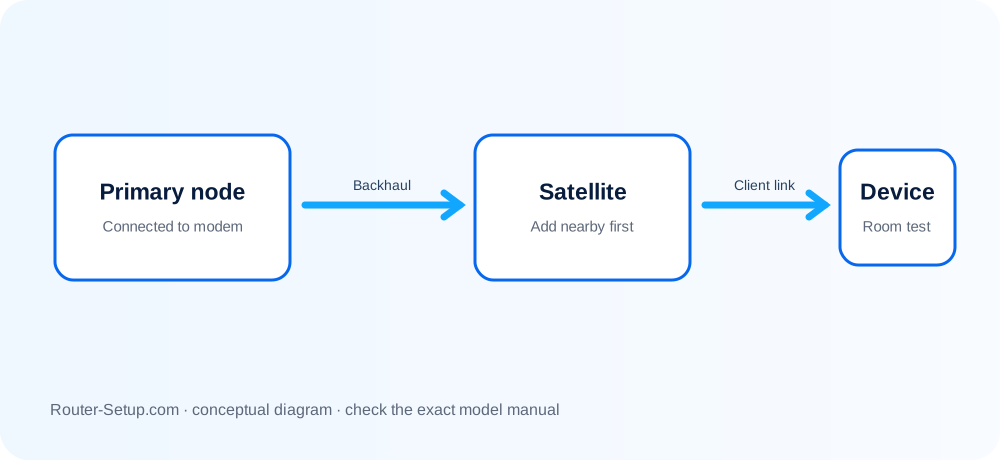
RBK752 contains two different firmware targets: RBR750 router and RBS750 satellite. The sequence below keeps those roles separate from cabling through sync and validation.
Identify the RBR750 router and RBS750 satellite; RBK752 is the kit name, not a firmware target
Identify the RBR750 router and RBS750 satellite; RBK752 is the kit name, not a firmware target.
Connect modem/ONT to the RBR750 Internet port, start upstream equipment first and then power the RBR750
Connect modem/ONT to the RBR750 Internet port, start upstream equipment first and then power the RBR750.
Use the Orbi app to create the admin and Wi-Fi credentials and complete RBR750 Internet detection
Use the Orbi app to create the admin and Wi-Fi credentials and complete RBR750 Internet detection.
Power the RBS750 in the same room
Power the RBS750 in the same room. If automatic sync does not complete, press Sync on RBR750 then RBS750 within two minutes.
Wait for the satellite ring: blue indicates a good link, amber fair, magenta failed
Wait for the satellite ring: blue indicates a good link, amber fair, magenta failed. A successful temporary colour later turning off is normal.
Relocate the RBS750 halfway toward the weak area and check Attached Devices/backhaul status
Relocate the RBS750 halfway toward the weak area and check Attached Devices/backhaul status.
Compare RBR750 and RBS750 firmware separately
Compare RBR750 and RBS750 firmware separately. Use each component’s own file and update the satellite before the router when manual official instructions require it.
Test a client beside RBS750, verify its attached node and run a roaming call before final placement
Test a client beside RBS750, verify its attached node and run a roaming call before final placement.
Model acceptance checks
- RBR750 has a valid Internet connection before RBS750 is added.
- RBS750 reports a good/usable backhaul and serves a nearby client.
- RBR and RBS firmware versions were checked using their own component names.
orbi rbk752 questions
Is RBK752 a firmware filename?
No. It is the kit name. Use RBR750 for router support and RBS750 for satellite support.
What does amber after sync mean?
The satellite formed a link, but placement is only fair. Move it closer and recheck backhaul.