Orbi RBK852 at a glance
| Kit | RBK852 |
|---|---|
| Router | RBR850 |
| Satellite | RBS850 |
| Wireless | High-capacity tri-band WiFi 6 mesh |
| Management | Orbi app and local Orbi web interface |
RBK852 roles and compatibility
The RBR850 is always the router component; RBS850 is the satellite. A visually similar Orbi satellite is not automatically compatible, so verify the supported add-on list before purchase or pairing.
Set up beside the modem first
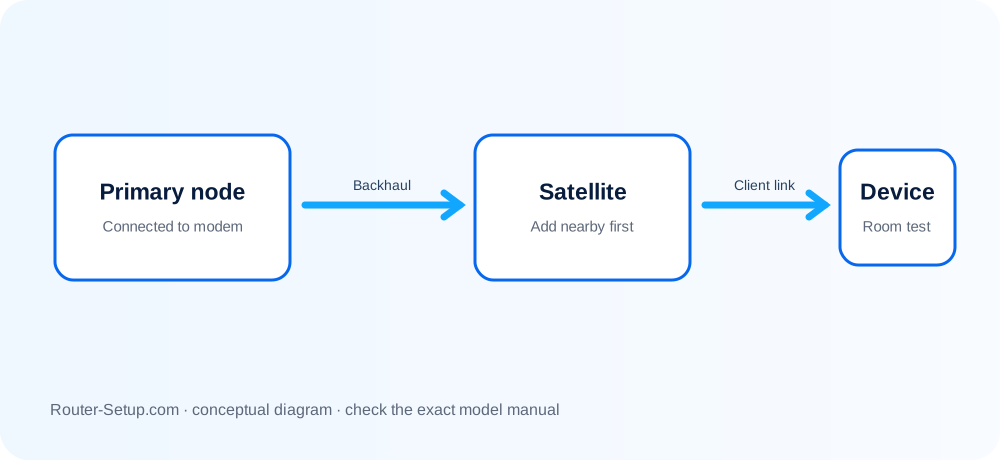
Keep RBR850 in an open location and connect its Internet port to the modem or fibre gateway. Complete the Orbi app onboarding with the phone joined to Orbi WiFi.
Place RBS850 by backhaul quality
Start the RBS850 close enough to sync, then relocate it. Blue is good, amber is fair, and magenta means the backhaul did not form. A premium satellite cannot compensate for being placed beyond usable range.
Diagnose app says offline
Separate cloud-app status from local network status. Confirm devices can reach the RBR850 gateway locally, examine the Internet port and restart modem before Orbi. If local Internet works, reauthenticate or refresh the app rather than resetting.
AP mode, reset and firmware discipline
Use AP mode when another router must remain authoritative. For a reset, wait for the official amber Power LED response. Update the RBS850 and RBR850 with files intended for their respective roles.
Complete ORBI RBK852 setup sequence
The 850-series commissioning path adds a deliberate router-versus-AP-mode decision and separate RBR850/RBS850 firmware checks before high-throughput testing.
Identify RBR850 and RBS850 labels and confirm any additional satellite is compatible with the 850-series system
Identify RBR850 and RBS850 labels and confirm any additional satellite is compatible with the 850-series system.
Cable modem/ONT to RBR850 Internet and finish primary setup in the Orbi app before expanding the mesh
Cable modem/ONT to RBR850 Internet and finish primary setup in the Orbi app before expanding the mesh.
Add one RBS850 near the router, using the Sync buttons only as documented and without holding them
Add one RBS850 near the router, using the Sync buttons only as documented and without holding them.
Interpret blue/amber/magenta as the temporary backhaul result, then move the satellite in stages
Interpret blue/amber/magenta as the temporary backhaul result, then move the satellite in stages.
If an ISP gateway remains in router mode, choose which device owns NAT/DHCP; use Orbi AP mode when appropriate to avoid unintended double NAT
If an ISP gateway remains in router mode, choose which device owns NAT/DHCP; use Orbi AP mode when appropriate to avoid unintended double NAT.
Inspect each satellite firmware version in the web interface and never install RBR850 firmware on RBS850
Inspect each satellite firmware version in the web interface and never install RBR850 firmware on RBS850.
For Ethernet backhaul, establish a working node first, cable it through a loop-free path and verify the connection type
For Ethernet backhaul, establish a working node first, cable it through a loop-free path and verify the connection type.
Validate wired multigig/Internet performance where supported, Wi-Fi near each node and roaming between rooms
Validate wired multigig/Internet performance where supported, Wi-Fi near each node and roaming between rooms.
Model acceptance checks
- Exactly one intended device supplies DHCP/NAT.
- Every RBS850 reports the expected wired or wireless backhaul.
- Wi-Fi roaming and any multigig wired path used by the installation have been tested.
orbi rbk852 questions
When should RBR850 use AP mode?
Use AP mode when an upstream gateway intentionally remains the router and should own DHCP/NAT.
Can RBS850 use the router firmware?
No. RBR850 and RBS850 are separate firmware targets.