Quick answer: A satellite must be compatible, powered near the Orbi router and placed into its sync window. A magenta ring means it could not obtain a usable link; it does not automatically mean the satellite has failed.
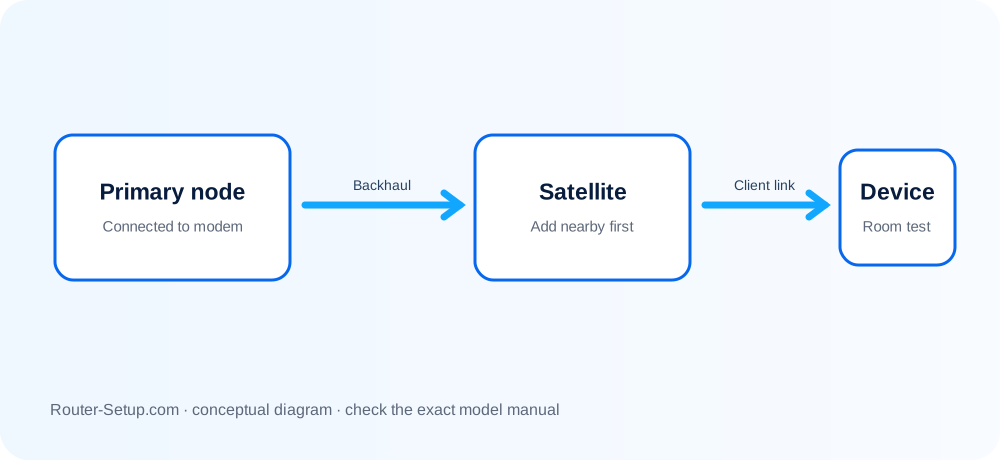
Interpret the failed Orbi connection
| Satellite result | Meaning |
|---|---|
| Satellite never appears | The pairing process did not complete, the models are incompatible, or one unit is not ready. |
| Blue then turns off | A good sync was achieved; the temporary light turning off is normally expected. |
| Amber | The link exists but placement or interference makes it weaker. |
| Magenta | The satellite did not sync or lost its backhaul to the router. |
Resync nearby, then prove the final placement
Confirm the router is online before working on the satellite.
Read the labels: the router begins RBR, the satellite RBS, and the packaged kit RBK. Check official compatibility for the exact RBS model.
Move the satellite into the same room, power it on and wait until startup finishes.
Press Sync on the router, then press Sync on the satellite within two minutes. Do not hold either button.
Wait several minutes without restarting either unit. Blue means good, amber means usable but weak, and magenta means try again closer.
If it connects nearby but fails in its final position, relocate it halfway toward the weak area or test Ethernet backhaul if the model supports it.
If it remains absent, compare router and satellite firmware. Update the satellite only with its exact RBS firmware. Reset only that failed satellite before considering a full-system reset.
Orbi sync mistakes that waste time
- Do not install RBR firmware on an RBS satellite.
- Do not reset a working router merely because one satellite is offline.
- Do not pair a satellite through an Ethernet switch unless the model instructions explicitly support that onboarding path.
Safety: Compatibility and firmware must be verified from NETGEAR support using the RBR/RBS labels; keep admin credentials private.
Questions about magenta, amber and compatibility
Why does my Orbi satellite show magenta?
It could not form or maintain a usable backhaul link. Try syncing near the router, confirm compatibility and then check firmware.
Should the Orbi satellite light stay blue?
No. On common Orbi systems the blue sync result is temporary and the light then turns off.
Can any Orbi satellite join any Orbi router?
No. Compatibility varies by generation and product family; check the exact RBR and RBS model combination.