Quick answer: routerlogin.net is a local management name, not a normal public website. It works only when the device is connected to the Netgear router’s network and nothing redirects its DNS or traffic elsewhere.
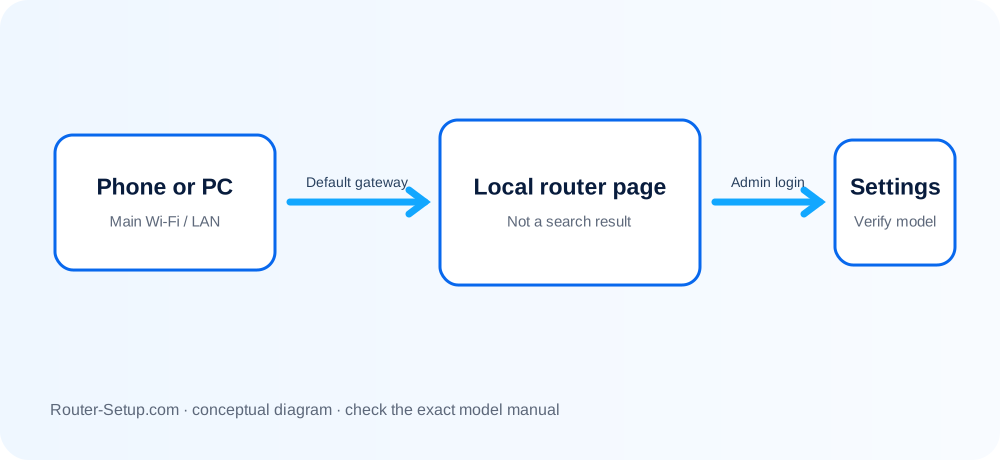
Identify why local Netgear access fails
| Browser result | Check this cause |
|---|---|
| Search results appear | The address was searched instead of opened directly, or the device is not resolving it locally. |
| Page times out | Wrong network, VPN/private relay, changed gateway or browser filtering may be involved. |
| Login rejects password | The router administrator password is not necessarily the Wi-Fi password or MyNETGEAR password. |
| Certificate warning | Local router interfaces can use self-signed certificates; first confirm the address and network rather than bypassing warnings blindly. |
Try the local gateway before considering reset
Join the Netgear WiFi or connect by Ethernet. Disable mobile data temporarily so the phone does not leave the local network.
Type http://www.routerlogin.net directly in the address bar—not a search box.
Disconnect VPN, corporate network, private relay/private DNS and any second Ethernet/Wi-Fi connection temporarily.
Find the default gateway in the device network details and open that numeric address. Common Netgear LANs use 192.168.1.1, but use the address shown on your device.
Try another browser or private window and temporarily pause aggressive ad/DNS filtering.
Use the router administrator username/password created during setup. Do not enter the Wi-Fi key or MyNETGEAR account unless the page specifically asks for it.
Reset only if local access fails after wired testing and you understand that all personalised settings will be erased.
Keep Netgear credentials away from public pages
- Do not enter router credentials into a search result or unrelated public site.
- Do not assume 192.168.1.1 is correct when the upstream gateway changed the LAN.
- Do not reset merely because the remembered admin password differs from the Wi-Fi password.
Safety: routerlogin.net should resolve locally from the Netgear LAN; never enter admin credentials into a search result or look-alike site.
Netgear local-login questions
Is routerlogin.net an Internet website?
It is intended to resolve locally to a supported Netgear router while you are connected to that router’s network.
Can I use routerlogin.net away from home?
Not for ordinary local administration. Remote management uses separate supported services and should be configured securely.
Is the admin password the Wi-Fi password?
No. They protect different access, even if someone chose the same text for both.