Quick answer: tplinkwifi.net is a local address for supported TP-Link routers. A timeout or public search page normally means the phone/computer is not reaching the TP-Link LAN interface.
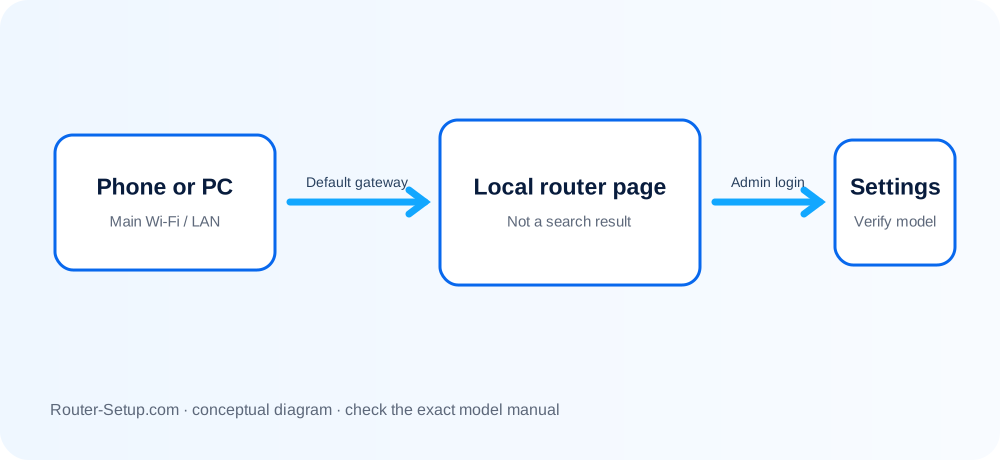
Trace the TP-Link management-page failure
| What opens | Where to check |
|---|---|
| TP-Link page never opens | Confirm the client is connected to that router, not a guest network or mobile data. |
| 192.168.0.1 fails | The LAN address may have changed or another gateway may own that subnet. |
| Password unknown | Newer TP-Link routers often use an administrator password created during first setup. |
| App works, browser does not | Browser DNS, VPN or HTTPS behavior may be blocking the local hostname. |
Reach the Archer interface from its active LAN
Connect to the TP-Link router’s main WiFi or a LAN port; guest networks may block management.
Enter http://tplinkwifi.net directly in the address bar.
Turn off mobile data, VPN, private DNS and proxy temporarily. Disconnect any second network connection.
Check the device’s Default Gateway/Router value and browse to that address. Many Archer units initially use 192.168.0.1, but the live gateway is authoritative.
Try another browser/private window and both http and the exact local HTTPS address presented by the router.
Enter the local administrator password created during setup, not the TP-Link ID or Wi-Fi password.
If access is still impossible over Ethernet, consult the exact model/hardware-version reset procedure and record ISP settings first.
Avoid reset and unsafe firmware shortcuts
- Do not download firmware from a page reached through a suspicious redirect.
- Do not install another hardware revision’s firmware after regaining access.
- Do not reset before recording PPPoE username, VLAN and customised LAN settings.
Safety: tplinkwifi.net is a local management name; verify the TP-Link LAN and address before entering the local administrator password.
TP-Link local-management questions
Why does tplinkwifi.net show search results?
The browser searched the words or could not resolve the local management name. Type it as a URL while connected to the router.
What if 192.168.0.1 does not work?
Use the default gateway shown in your device’s current network details; it may have changed.
Is my TP-Link ID the router admin password?
Not necessarily. Cloud/app identity and the local administrator credential are separate.